
Samsung Display OLED for Gamers and Creators

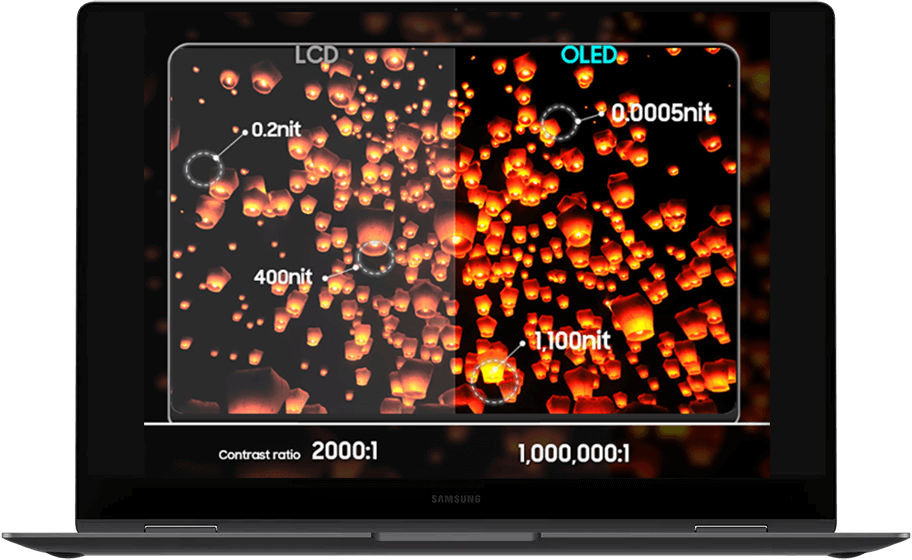
Samsung Display OLED delivers immersive visuals with true to life colors, deep blacks, and high contrasts. Beyond showing a wider, richer range of colors, OLED displays are thinner, lighter, and improve portability when built into laptops. On average, OLED displays and 1mm thin, while LCD displays are 3mm.

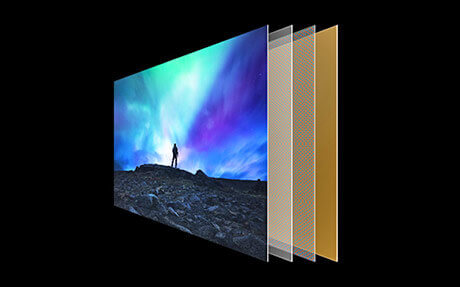
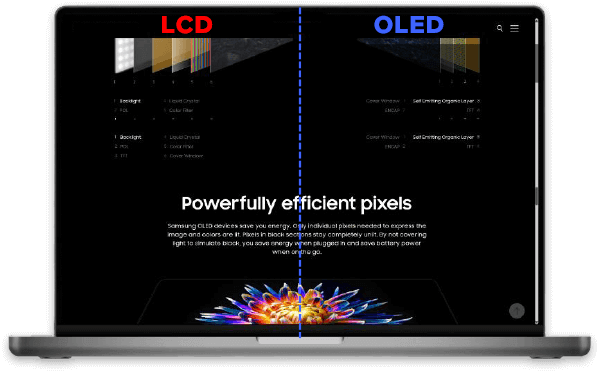
Unlike other displays, OLED (Organic Light-Emitting Diode) displays use self-lit pixels that individually emit their own light. Ideal for gamers and creators, these PC displays deliver ultra-smooth performance, precise color accuracy, and immersive details that enhance gaming and content creation workloads.

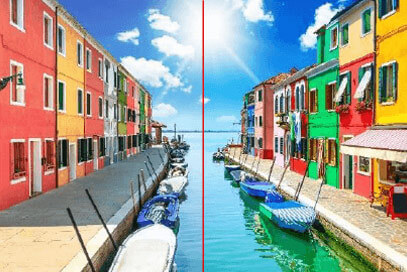
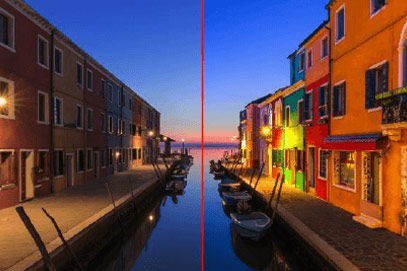
True-to-Life Colors

OLED displays are in a league of their own when it comes to displaying colors, contrast, and true blacks.

Spin the wheel to learn more.

Surface Properties of OLED Displays

OLED displays support creators and games with a variety of helpful surface features, such as touch-screen capabilities, pooling free displays, and an anti-glare polarizer.

Drag to fill in each flower to reveal more.

OLED Display Response Time

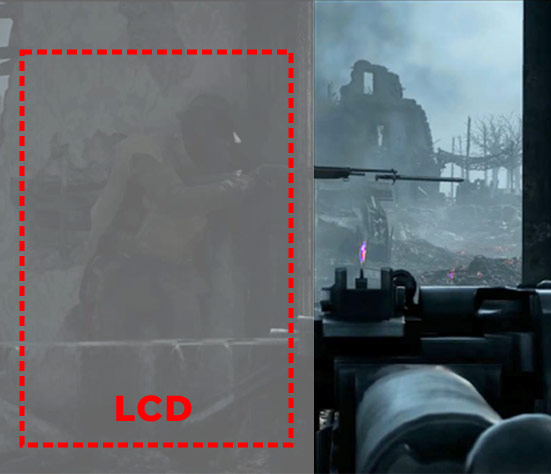
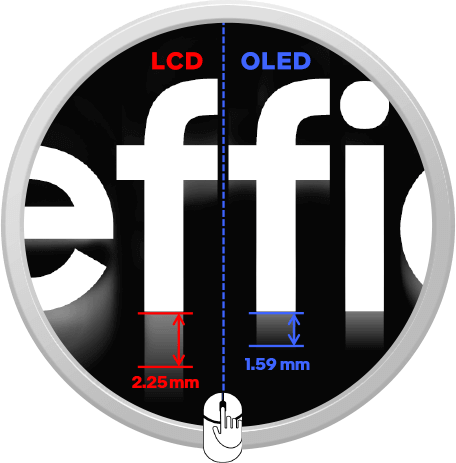
OLED displays have faster response times when compared to traditional LCD displays.

LCD

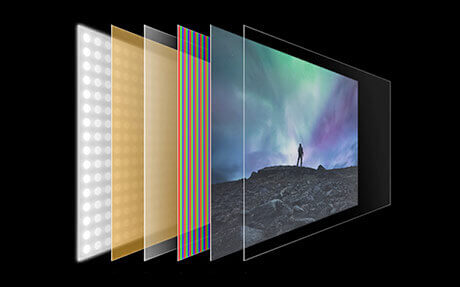
LCD displays rely on a backlit panel and liquid crystals that take longer to adjust and let light through, which can occasionally create a blurred or stuttered effect.

On average, LCD’s response time is 2ms.

OLED

OLED displays are composed of pixels that can turn on or off almost instantly.

This means that each tiny dot of light on screen can change its brightness or color very quickly.

OLED’s response time is 0.2ms, which is 10 times faster than LCD.

As a result, fast-moving images, like those in video games, look smoother and sharper.

The Proof

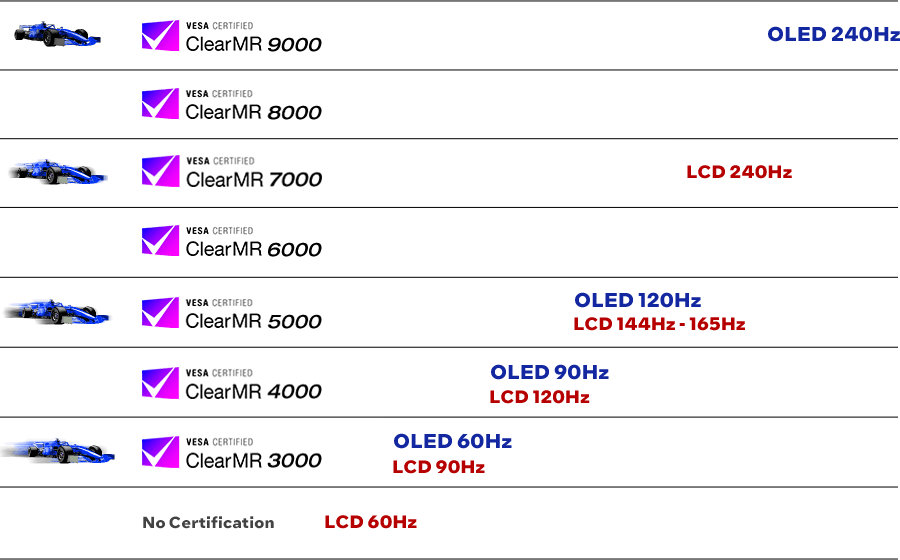
OLED displays are sharper and clearer than LCD at same refresh rate. This is proven by VESA’s ClearMR certification, which states that at 120Hz, OLED laptop’s motion speed is same as an 165Hz LCD laptop.

Touch and swipe.

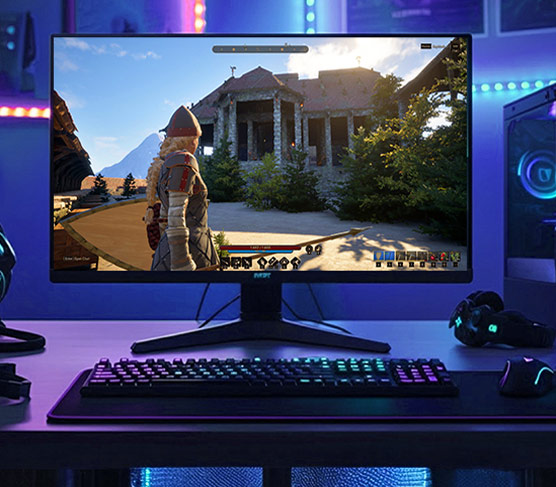
Why Response Time Matters to Gamers

High refresh rates and quick pixel response make gameplay smooth, so fast-paced scenes in games still appear clear and detailed. Gamers rely on high FPS for racing, esports, and more, so a self-lit display can improve overall performance.

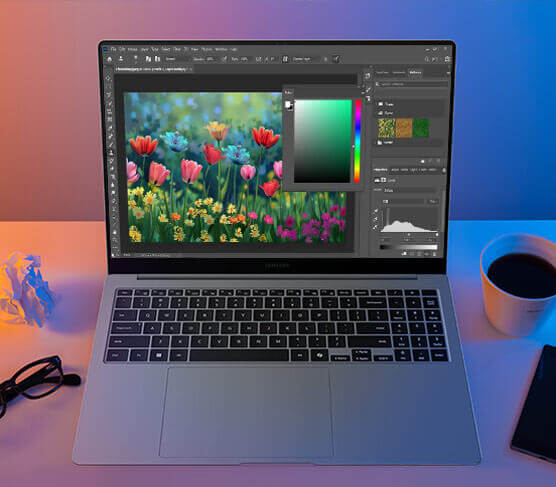
Why Response Time Matters to Creators

Clear motion means no blur or lag when working on editing videos or creating animations. Every detail is easy to spot, helping creators make projects that look professional and polished.

On average, OLED’s blur length is 30% less than that of LCD.

OLED Eye Care

As PC users know, extensive periods of exposure to blue light can be harmful to the eyes. In particular, blue light in the deep range of 415nm-455nm can cause eye strain and trouble sleeping.

OLED displays are made with organic materials that produce their own light, unlike LCDs that rely on a backlight. Some of these organic compounds are specially designed to emit less harmful deep blue light while still keeping colors bright and vibrant.

Blue Light Emission Chart

OLEDs emit 70% less harmful blue light on average, and almost no blue light when using dark mode.

LCD Light Mode

OLED Light Mode

70% Less

OLED Dark Mode

93% Less

Less Blue Light

Click each image to learn more.

OLED Power Consumption

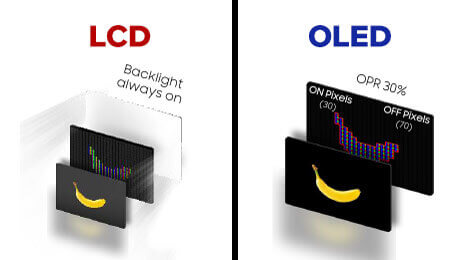
OLED displays can sometimes be thought of as high consumption displays, but their energy usage depends heavily on what’s shown on screen. Each pixel produces its own light, so black or dark areas use no power, unlike LCDs where the backlight is always on. Bright content draws more power, but dark or mixed scenes use minimal power.

OPR (Organic Pixel Ratio)

OLEDs further improve efficiency with low-frequency refresh rates and OPR, which adjusts each pixel based on what’s displayed.

SmartPower HDR

Coming at the end of 2025, a new feature called SmartPower HDR reduces power consumption when watching HDR content. It does this by detecting the maximum brightness needed and adjusting the voltage in real time, letting you enjoy vivid HDR visuals while saving energy.

Edge Luminance Profile (ELP)

ELP helps save battery on OLED displays by slightly dimming the edges of the screen. The change is subtle enough that users won’t notice it, and they’ll still get a bright, immersive gaming or creating experience while using less power.

Summary

Samsung Display OLED deliver true-to-life colors, deep blacks, and high contrast thanks to self-lit pixels that turn on and off individually. These displays offer ultra-smooth motion and fast response times, making them ideal for gamers and creators who need every frame to appear instantly, look smooth, and have no blurring.

Additionally, these displays provide eye care benefits, anti-glare polarizers, and touch-friendly, pooling-free surfaces, ensuring comfort and accuracy during long gaming or creative sessions. With efficient power consumption technologies like OPR, SmartPower HDR, and Edge Luminance Profile, OLED laptops provide vivid, high-performance visuals while saving energy and extending battery life.

Recommend an OLED display to customers wanting rich colors, true blacks, and smoother visuals for immersive gaming and professional content creation.


Close